
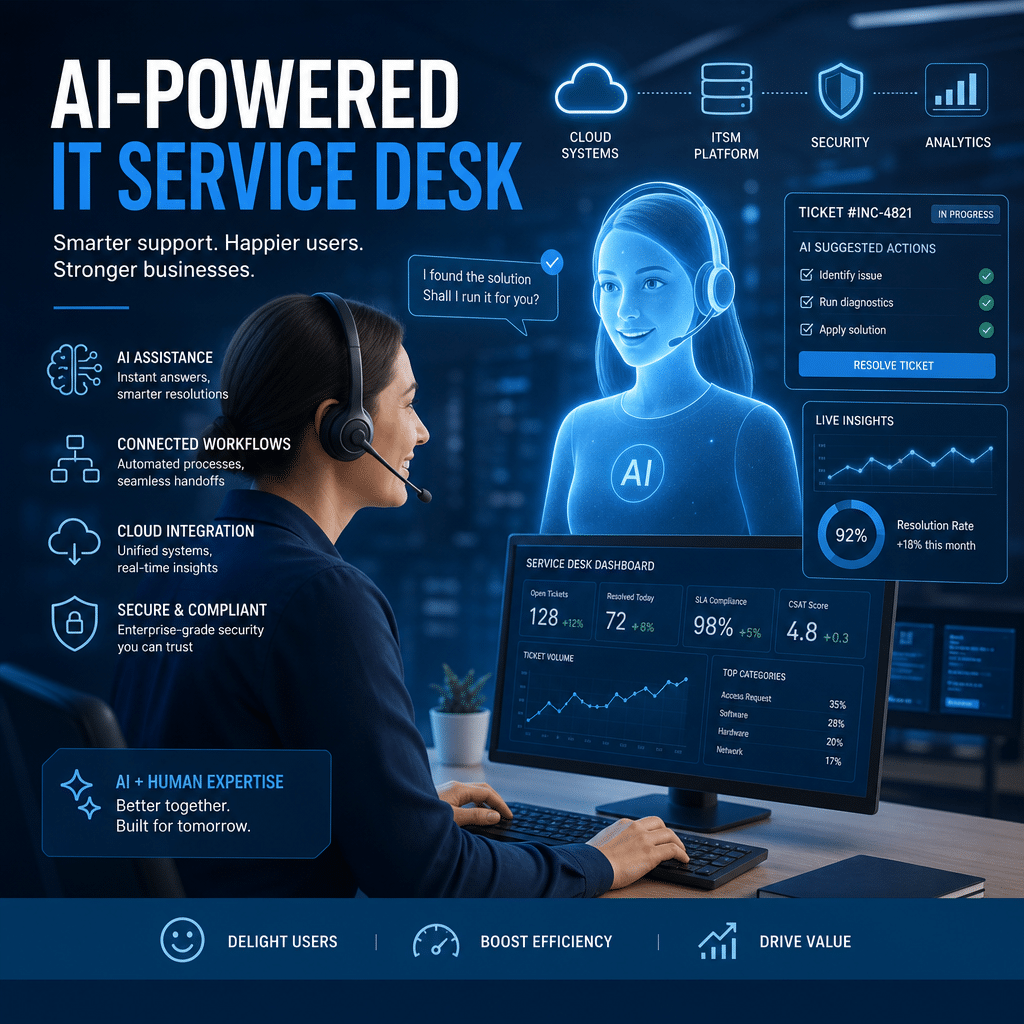
For many employees, the IT service desk is the front door to the organization. When a password expires, an application fails, or a device stops working, users expect help that is fast, accurate, and available when they need it. Traditional service desks often struggle to meet those expectations because support teams face growing ticket volumes, complex technology environments, and persistent staffing pressures.
Artificial intelligence is changing that model. From conversational chatbots and intelligent ticket routing to predictive analytics and automated resolution, AI is helping service desks become more responsive and proactive. However, the most effective approach does not replace people with technology. It combines AI efficiency with human judgment, empathy, and expertise.
This guide explains how AI is transforming the modern IT service desk, the benefits it can deliver, the risks organizations should manage, and the practical steps for implementing it successfully.
Table of Contents
- Why AI Is Changing the Service Desk
- Key AI Capabilities in the IT Service Desk
- Benefits for Users and IT Teams
- The Human Role in AI-Powered Support
- How to Implement AI Successfully
- Risks, Security, and Governance
- Measuring Success
- The Future of the IT Service Desk
- Conclusion
- Frequently Asked Questions
Why AI Is Changing the Service Desk
Modern IT environments are more distributed and interconnected than ever. Employees may work from offices, homes, and shared spaces while relying on cloud applications, mobile devices, collaboration platforms, and specialized business systems. A small issue in one system can quickly affect productivity across an entire team.
At the same time, users increasingly expect consumer-style digital experiences. They want to search for an answer, describe a problem in natural language, and receive a useful response without navigating a complex portal or waiting hours for an update. AI helps service desks respond to these expectations by making support more accessible and scalable.
AI can analyze large volumes of service data, identify patterns, understand natural language, and perform routine actions. This gives support teams a way to handle simple requests efficiently while focusing human attention on complex incidents and high-value interactions.
Key AI Capabilities in the IT Service Desk
Conversational self-service
AI-powered virtual agents allow employees to interact with the service desk through chat or voice using everyday language. Instead of searching through technical documentation, a user can ask, “How do I connect to the company VPN?” or “Why can’t I access this application?”
The virtual agent can provide a relevant answer, guide the user through troubleshooting, or complete an approved task. Effective systems also understand when a request exceeds their capabilities and transfer the conversation to a human agent with the relevant context included.
Intelligent ticket classification and routing
Service desk teams spend significant time reviewing tickets, assigning categories, setting priorities, and directing issues to the correct group. AI can automate much of this work by analyzing the request, identifying its intent, and comparing it with historical incidents.
For example, a ticket about a locked account can be routed to identity support, while a report of a slow application can be assigned to the relevant application or infrastructure team. Better routing reduces delays and helps ensure that important incidents receive appropriate attention.
Automated resolution and orchestration
AI becomes more valuable when it is connected to service management and enterprise systems. With the right permissions and safeguards, it can initiate workflows such as password resets, software requests, account unlocks, access approvals, and device checks.
These automations should be designed around clearly defined policies. Low-risk tasks can often be completed automatically, while sensitive actions should require verification, approval, or human review.
Knowledge discovery and content improvement
Knowledge management has traditionally been one of the most difficult service desk disciplines. Articles can become outdated, difficult to find, or too technical for the people who need them. AI can improve this process by identifying frequently asked questions, recommending relevant articles, summarizing long documents, and highlighting gaps in available guidance.
AI can also help service agents find answers more quickly by searching across approved knowledge sources. This reduces time spent browsing multiple systems and supports more consistent responses.
Predictive and proactive support
Rather than waiting for users to report an issue, AI can analyze operational data for warning signs. An unusual increase in failed logins, a pattern of device crashes, or declining application performance may indicate a problem before it becomes a widespread incident.
Proactive support can include notifying affected users, opening an incident automatically, or triggering a remediation workflow. This approach shifts the service desk from a reactive ticket center toward a more preventative technology function.
Benefits for Users and IT Teams
Faster answers and shorter resolution times
AI can provide immediate assistance for common questions and routine requests. This reduces waiting times for users and allows service desk agents to spend less time on repetitive work. When an issue does require escalation, automated classification and contextual information can help the right specialist begin work sooner.
Consistent support across channels
Employees may contact IT through a portal, chat application, email, or phone. AI can help create a more consistent experience by applying the same knowledge and service policies across these channels. A user who begins with a virtual agent can be transferred to a person without having to repeat the entire problem.
Improved employee productivity
Every unresolved technical issue has a potential productivity cost. A quick answer to a simple question may prevent a lengthy interruption, while early detection of a broader incident can reduce the number of affected employees. AI helps minimize friction at several points in the support journey.
Better use of service desk expertise
Highly skilled agents should not spend most of their day handling repetitive password, access, or status requests. By automating routine work, AI gives them more time to investigate complex incidents, improve systems, communicate with users, and contribute to strategic initiatives.
More actionable service data
AI can identify trends that are difficult to see through manual reporting. For example, it may reveal that a specific application generates repeated incidents, that a software update causes a spike in support requests, or that a knowledge article fails to answer common questions.
These insights can inform training, technology investments, change management, and broader improvements to the employee experience.
The Human Role in AI-Powered Support
AI is powerful, but it is not a substitute for human judgment in every situation. Some incidents involve ambiguity, business risk, emotional frustration, or decisions that require organizational context. A person may need to interpret conflicting information, communicate during a major outage, or make an exception to a standard process.
The best service desk models use AI to augment agents rather than isolate them. An AI assistant can summarize a conversation, recommend troubleshooting steps, draft a response, retrieve relevant knowledge, and identify similar incidents. The agent remains responsible for judgment, communication, and final decisions.
Human oversight is especially important when AI produces an uncertain answer. Service desk teams should have clear escalation paths and an easy way to correct inaccurate responses. Feedback from agents and users can then be used to improve the underlying knowledge and automation.
How to Implement AI Successfully
Implementing AI is not simply a matter of purchasing a chatbot. Organizations need a practical strategy that connects technology to service goals, user needs, data quality, and operational controls.
- Start with measurable problems. Identify high-volume, repetitive, or time-consuming requests. Common starting points include password resets, access questions, device troubleshooting, and service status updates.
- Review your knowledge foundation. AI depends on reliable information. Consolidate duplicate content, remove outdated articles, use plain language, and assign owners to important knowledge resources.
- Choose focused use cases. Begin with a limited number of workflows where the expected value and risk are clear. A focused pilot makes it easier to test performance and build trust.
- Connect the right systems. Integrate AI with the service management platform, identity tools, configuration data, monitoring systems, and approved knowledge sources. Integration enables useful action instead of generic answers.
- Define permissions and escalation rules. Decide what AI can answer, what it can change, and when a human must approve an action. These rules should reflect the sensitivity and potential impact of each workflow.
- Test with real scenarios. Evaluate the system using common requests, unusual wording, incomplete information, and edge cases. Include accessibility, multilingual support, and different user roles where relevant.
- Measure, learn, and expand. Monitor outcomes after launch and use feedback to improve prompts, knowledge content, workflows, and user communications.
Change management is equally important. Employees should understand what the AI assistant can do, how their information is handled, and how to reach a person when necessary. Service desk agents should receive training so they can work confidently with the new tools.
Risks, Security, and Governance
AI introduces benefits, but it also creates operational and security considerations. An inaccurate answer can frustrate users, while an incorrect automated action could create access, compliance, or availability problems.
Organizations should establish governance before expanding AI across sensitive workflows. Important controls include:
- Restricting AI access to approved data sources and systems.
- Protecting confidential, personal, and regulated information.
- Using role-based permissions and strong identity verification.
- Logging automated decisions, actions, and escalations.
- Requiring human approval for high-impact changes.
- Testing responses for accuracy, bias, security weaknesses, and inappropriate disclosure.
- Reviewing performance regularly as systems, policies, and knowledge change.
Privacy should be addressed transparently. Users need to know whether conversations are stored, how data is used, and when they are interacting with an AI system. Clear disclosure and accessible human support help build confidence.
Measuring Success
The success of an AI-powered service desk should not be measured only by the number of automated interactions. A system that deflects tickets but provides poor answers may reduce reported volume while making the overall employee experience worse.
Use a balanced set of measures, such as:
- First-contact resolution rate.
- Average response and resolution times.
- Percentage of requests resolved through self-service.
- Accuracy of ticket classification and routing.
- Automation completion and failure rates.
- Agent productivity and workload distribution.
- User satisfaction and effort scores.
- Knowledge article usefulness and search success.
- Number and severity of escalations caused by incorrect automation.
Combine quantitative data with qualitative feedback. Short user surveys, agent reviews, and incident retrospectives can reveal issues that standard dashboards miss. The goal is continuous improvement, not automation for its own sake.
The Future of the IT Service Desk
AI will continue to move the service desk from reactive support toward intelligent service operations. Future systems will likely combine conversational assistance, real-time observability, workflow automation, and organizational knowledge in increasingly seamless ways.
Service desks may predict user needs based on role, device health, location, and current incidents. They may recommend preventive actions before employees notice a problem and personalize support based on technical skill or accessibility preferences.
However, technological progress will not eliminate the need for thoughtful service design. Trust, transparency, security, and empathy will remain essential. Organizations that treat AI as a tool for improving human-centered service will be better positioned than those that focus only on reducing ticket counts.
Conclusion
AI is transforming the modern IT service desk by making support faster, more proactive, and more scalable. Conversational self-service, intelligent routing, automated workflows, knowledge assistance, and predictive analytics can improve both employee experiences and IT operations.
The strongest results come from a balanced approach. Organizations should begin with practical use cases, strengthen their knowledge foundation, protect sensitive data, define human oversight, and measure outcomes across efficiency, quality, and satisfaction.
When implemented responsibly, AI does not make the service desk less human. It gives IT professionals more time to solve meaningful problems, communicate effectively, and deliver the thoughtful support that technology alone cannot provide.
Frequently Asked Questions
What is AI in the IT service desk?
AI in the IT service desk refers to technologies such as virtual agents, machine learning, natural language processing, predictive analytics, and automated workflows that help deliver and manage IT support.
Can AI replace IT service desk agents?
AI can automate many repetitive tasks, but it is unlikely to replace the need for skilled service professionals. Human agents remain important for complex issues, sensitive situations, judgment-based decisions, and relationship management.
What is the best first AI use case for a service desk?
High-volume, low-risk requests are often the best starting point. Examples include password resets, access questions, service status updates, common troubleshooting, and knowledge search.
How can organizations make AI service desk tools trustworthy?
Organizations can improve trust by using reliable knowledge sources, limiting permissions, protecting personal data, disclosing when users interact with AI, monitoring accuracy, and providing simple access to human support.
Leave a Reply