
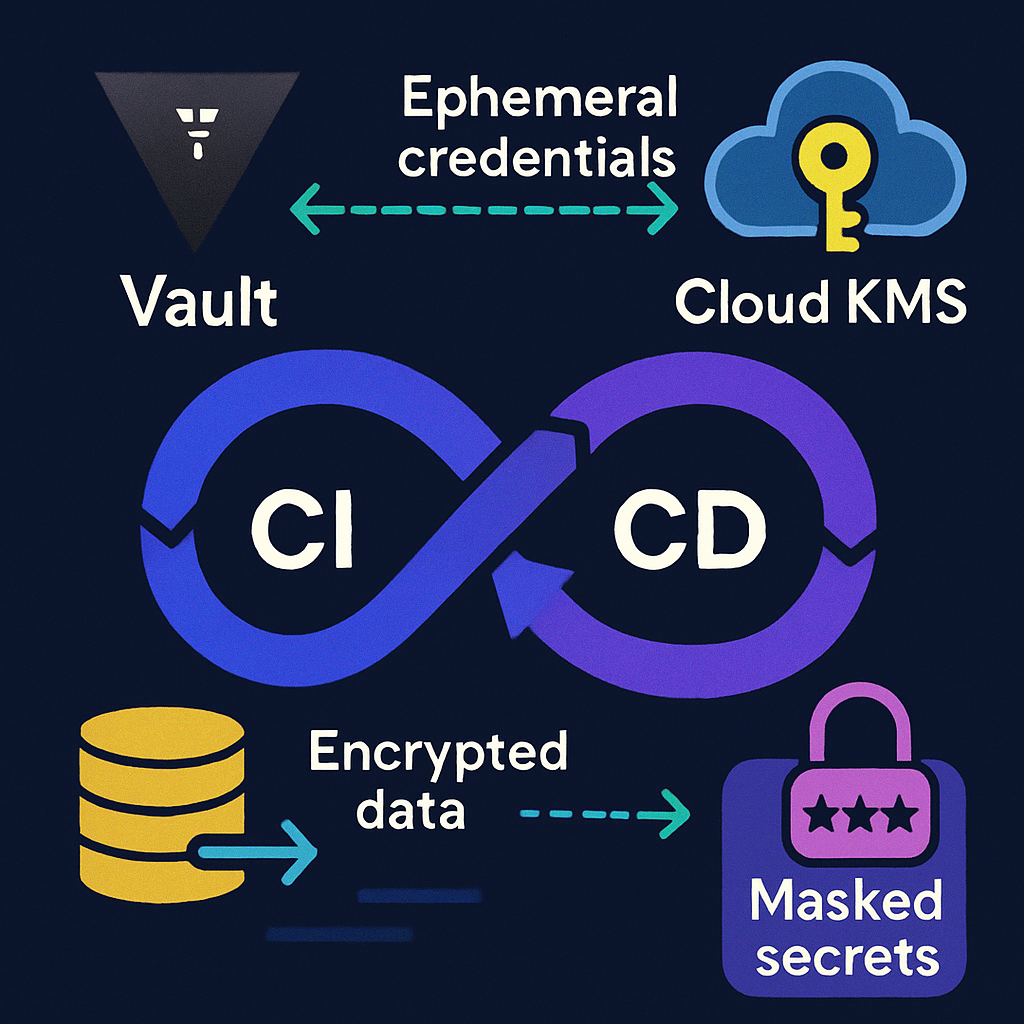
Every software team wants speed without sacrificing security. But as pipelines grow more complex and distributed, secrets such as API keys, database passwords, and signing keys can sprawl across repos, runners, and environments. The result is a larger attack surface and costly incidents when a leak happens. This guide explains how to inject secrets securely in CI/CD using HashiCorp Vault and cloud Key Management Services, so you can ship faster and safer.
Table of Contents
- Why Secrets in CI/CD Matter
- Core Principles for Secure Secret Injection
- Vault and KMS: What They Do and How They Differ
- Secure Injection Patterns for Pipelines
- Reference Architectures You Can Adopt
- Implementation Examples in Popular CI/CDs
- Key Rotation, Revocation, and Lifecycle
- Audit, Monitoring, and Incident Response
- Common Mistakes and How to Avoid Them
- Governance, Compliance, and Access Reviews
- Performance, Reliability, and Costs
- Conclusion
- Frequently Asked Questions
Why Secrets in CI/CD Matter
Modern delivery pipelines often run on hosted runners, ephemeral containers, or hybrid infrastructure. Each step needs credentials to pull dependencies, test against managed databases, deploy to clouds, or sign artifacts. If these secrets leak in logs, commits, or caches, attackers can pivot quickly.
Security incidents involving exposed tokens have led to compromised registries, malicious package uploads, and data exfiltration. Beyond the breach, teams face downtime, revocations, incident response, and regulatory scrutiny. A robust secrets strategy is not optional; it is central to the reliability and trust of your software supply chain.
The good news: with the right patterns, you can minimize exposure windows, enforce least privilege, and make secret access auditable and reversible.
Core Principles for Secure Secret Injection
Before discussing tools, anchor your program in these principles:
- Least privilege: Grant the minimal scope and duration required for the job. Prefer role or policy bindings instead of long-lived user keys.
- Ephemeral by default: Use short time-to-live credentials and tokens that auto-expire. Rotate and revoke without ceremony.
- Do not store secrets in code: Keep secrets out of repos, images, and baked artifacts. Use references, not raw values.
- Authenticate the workload, not a person: Use OIDC or workload identity to authenticate runners and jobs. Avoid sharing static tokens across teams.
- Encrypt everywhere: Encrypt secrets at rest with KMS and in transit with TLS and certificate pinning where possible.
- Auditability: Ensure every access is logged with who, what, when, and where. Build alerts for anomalies.
Vault and KMS: What They Do and How They Differ
Vault and KMS solve complementary problems. Understanding where each shines helps you design the right workflow.
What Vault provides
- A central control plane for secrets lifecycle management, policies, and authentication methods.
- Dynamic secrets that are minted on demand for databases, cloud providers, and messaging systems, with leases and automatic revocation.
- Pluggable auth including GitHub, JWT or OIDC, Kubernetes, AppRole, and cloud-specific identities.
- Fine-grained ACLs and namespaces for multi-team isolation.
What KMS provides
- Highly durable, managed encryption keys with strong hardware-backed security and policy controls.
- Envelope encryption for files, environment values, and application configuration.
- Native integrations with cloud services, including IAM policies and automatic key rotation options.
How they work together
- Use KMS to encrypt long-lived values at rest or to auto-unseal Vault securely.
- Use Vault to authenticate workloads, issue ephemeral credentials, and broker access to downstream systems.
- Combine both to keep secrets encrypted at rest while enabling just-in-time access in pipelines.
Secure Injection Patterns for Pipelines
Choose an injection pattern that minimizes exposure and fits how your jobs run. A mix is common.
Environment variables with masking
- Fetch secrets at job start and export them only for the specific step that needs them.
- Enable secret masking in your CI platform to redact values from logs.
- Avoid propagating env across many steps; prefer scoped usage.
Ephemeral files or mounted volumes
- Write secrets to a temporary file with strict permissions, then delete or shred after use.
- Use in-memory volumes where possible to avoid disk persistence.
Sidecar or agent injection
- Run a Vault Agent or injector that handles auth and secret retrieval on behalf of the job container.
- Templates can render configs on the fly with automatic renewal and revocation.
Dynamic credentials
- Prefer on-demand, short-lived DB users, cloud credentials, or messaging tokens instead of static keys.
- Set TTL and explicit maximum TTL. Revoke at job end for extra safety.
Decrypt at deploy time
- Store encrypted values (via KMS or tools that use KMS) in repo; decrypt only on a trusted runner using workload identity.
- Never commit plaintext or decrypted files.
Reference Architectures You Can Adopt
These patterns scale from small teams to regulated enterprises.
Cloud-native minimal secrets sprawl
- CI job authenticates to cloud via OIDC federation. No static secrets in the CI settings.
- Job uses cloud KMS to decrypt environment-specific values or to retrieve application config.
- For deployments, the job assumes a least-privileged role with time-bound session tokens.
Vault as central broker
- Jobs authenticate to Vault using JWT or OIDC. Policies grant access to specific paths and roles.
- Vault issues dynamic database users or cloud credentials with short TTLs for the job.
- In Kubernetes, use Vault Agent Injector to populate pods at runtime with secrets templates.
Hybrid or air-gapped environments
- Self-hosted runners inside a private network call Vault over mTLS. Vault is sealed with auto-unseal using KMS in your secure boundary.
- Jobs never traverse public networks with plaintext secrets; all access is audited through Vault.

Implementation Examples in Popular CI/CDs
GitHub Actions with OIDC and Vault
- Enable OIDC trust between GitHub and your identity provider or cloud. Bind a role to your repo and environment branches.
- Configure Vault to trust the issuer and map repo claims to a Vault role with narrow policies.
- In the workflow, request a token via the OIDC provider and exchange it with Vault for a short-lived token.
- Read secrets or request dynamic credentials for the duration of the job. Avoid printing values. Mask outputs.
- Ensure the token TTL is shorter than the job time. Revoke on failure or cancellation.
GitLab CI with JWT and KMS decryption
- Use GitLab-provided JWT to authenticate the job identity against your cloud IAM.
- Grant a role to decrypt only the keys for the target environment and project.
- Store configurations encrypted with KMS. Decrypt on the runner just-in-time, pipe into the process, and discard.
- Use masked variables and protected environments for production branches.
Jenkins with Vault plugin
- Configure the Vault plugin to authenticate using AppRole or JWT from your runner host.
- Bind credentials to specific jobs or folders with least privilege policies.
- Wrap stages with withVault or equivalent so secrets are available only within the block and not across the entire build.
- Scrub console logs and disable shell tracing that might echo secrets.
Key Rotation, Revocation, and Lifecycle
Rotation is non-negotiable. Automate as much as possible to avoid operational risk.
- KMS key rotation: Enable managed rotation for symmetric keys. Plan a re-encryption strategy for long-lived ciphertext and verify decrypt permissions before rotating.
- Vault leases: Set sensible default TTLs per secret engine. Use periodic tokens for agents that renew but never become permanent.
- Revocation on demand: Build runbooks and pipeline steps that can revoke credentials when tests fail, builds are canceled, or incidents arise.
- Versioning and rollback: Keep history for audit but limit how many previous versions remain decryptable. Use separate keys per environment to scope blast radius.
Audit, Monitoring, and Incident Response
You cannot protect what you cannot see. Treat audit trails as first-class artifacts.
- Enable Vault audit devices and forward logs to your SIEM. Monitor who accessed which path, from where, and when.
- Collect KMS key usage metrics and alerts for unusual decryption spikes or off-hours activity.
- Establish detection rules for secrets appearing in logs, artifacts, or container images. Add pre-commit and pipeline scanners.
- Practice incident drills: rotate keys, revoke tokens, and validate that dependent services continue to function.
Common Mistakes and How to Avoid Them
- Storing secrets in repos: Even encrypted files without access control can leak. Keep encryption keys separate and restrict who can decrypt.
- Long-lived CI tokens: Static tokens in project settings often outlive owners. Prefer workload identities and short TTLs.
- Overbroad scopes: Granting blanket admin of a cloud account to a pipeline invites abuse. Scope roles to exact actions and resources.
- Logging secrets: Shell tracing and verbose flags can print sensitive data. Use masking and safe logging defaults.
- Shared credentials across environments: Separate keys per env and per app. Compromise of dev must not endanger prod.
- Ignoring runner hardening: Patch agents, isolate networks, and clear workspaces. Do not reuse artifacts or caches between untrusted jobs.
- Skipping certificate validation: Pin or verify CA chains for Vault and KMS endpoints to prevent man-in-the-middle attacks.
Governance, Compliance, and Access Reviews
Security must be routine, not heroic. Bake governance into the delivery process.
- Policy as code: Manage Vault policies and IAM roles in version control with approvals, tests, and drift detection.
- Access reviews: Quarterly or automated reviews can prune unused roles, paths, and keys. Report findings to stakeholders.
- Separation of duties: Ensure no single person can both approve code and deploy with elevated secrets without a second approver.
- Regulatory mapping: Link controls to ISO 27001, SOC 2, PCI DSS, or HIPAA requirements. Exportable audit logs and short-lived access simplify attestations.
Performance, Reliability, and Costs
Secure secret management should not slow you down. Design for resilience and predictable spend.
- Latency: Co-locate runners with Vault or KMS. Consider caching non-sensitive, signed configuration while keeping secrets ephemeral.
- Availability: Run Vault in highly available mode with integrated storage and auto-unseal. Use retry logic with exponential backoff for transient errors.
- Throughput and limits: Watch KMS request quotas and Vault rate limits. Batch operations where safe.
- Cost drivers: KMS operations, Vault compute and storage, and network egress can add up. Right-size TTLs and reduce unnecessary decrypts.
Conclusion
Secrets management in CI/CD is not just about hiding values. It is about authenticating workloads, granting the least access for the shortest time, encrypting everywhere, and recording a clear trail. HashiCorp Vault and cloud KMS complement each other to deliver these outcomes at scale.
Start with workload identity, add Vault or KMS according to your needs, choose an injection pattern that limits exposure, and automate rotation and audits. Your reward is faster delivery with fewer emergencies and stronger trust in your software supply chain.
Frequently Asked Questions
Do I need both Vault and KMS?
Not always. If you only need encryption at rest with limited decryption points, KMS may be enough. If you need dynamic secrets, flexible auth, and policy-rich brokering, Vault adds strong value. Many teams use both: KMS for key custody and Vault for access workflows.
How often should I rotate secrets and keys?
Use short TTLs for dynamic credentials so rotation is continuous. For static values, rotate at least quarterly or on any scope change. Enable automatic KMS key rotation and create playbooks to re-encrypt and validate dependent services.
How do I prevent secrets from leaking into logs?
Enable secret masking, disable verbose shell tracing, avoid echoing variables, and pass secrets via files or stdin where possible. Add scanners to detect accidental prints in logs and artifacts, and fail the job if leakage is detected.
What about developer laptops and local testing?
Use the same identity and policy model. Developers authenticate with SSO to Vault and fetch scoped, short-lived credentials. For local config, store only encrypted values, never plaintext, and ensure expiry mirrors CI/CD behavior.
Leave a Reply