
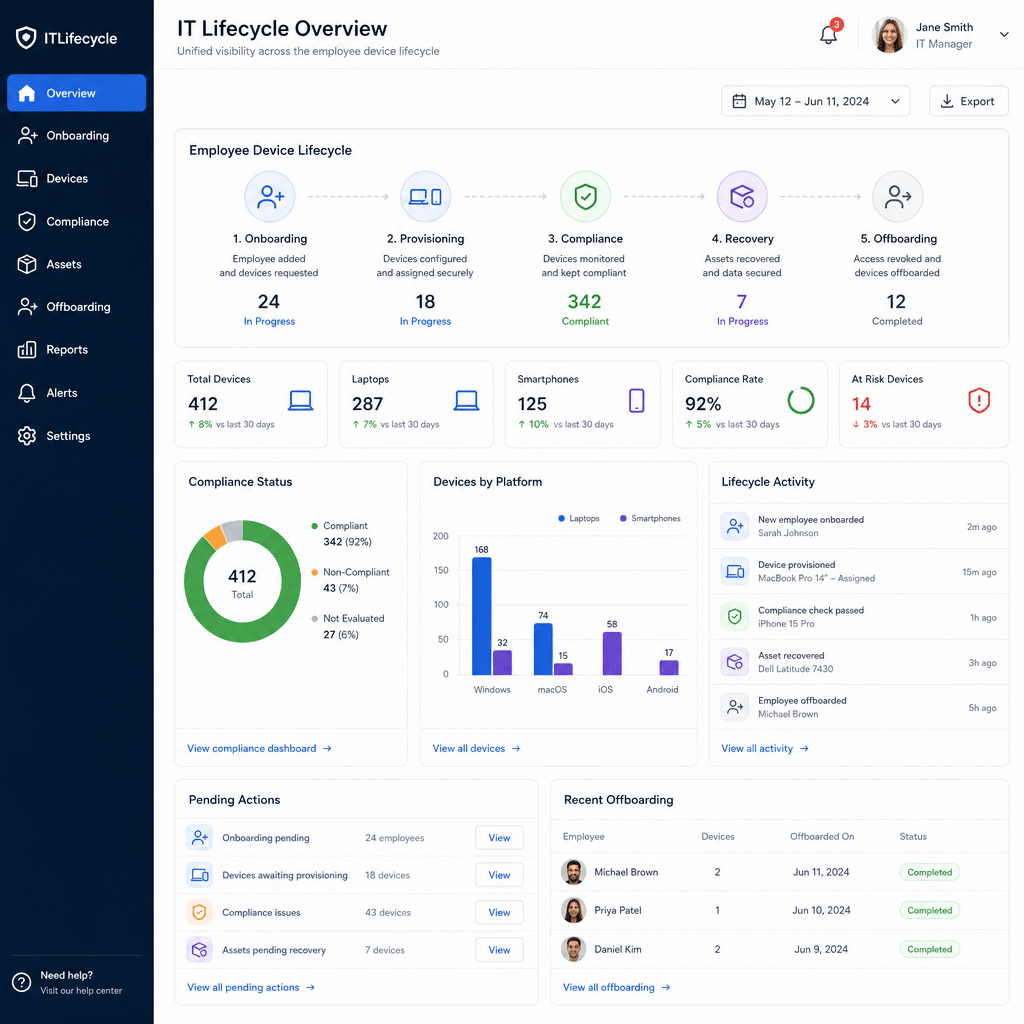
Employee devices are central to how modern organizations operate. A laptop, smartphone, tablet, or security token gives people access to applications, data, customers, and colleagues. Yet managing those devices is often treated as a collection of disconnected IT tasks rather than one continuous process.
From the moment a new employee accepts an offer to the day they leave the organization, every device interaction affects productivity, security, cost, and employee experience. Automating the entire employee device lifecycle helps IT teams deliver the right equipment on time, enforce consistent policies, reduce manual work, and recover company assets reliably.
This guide explains how organizations can connect onboarding, device management, support, compliance, and offboarding into a streamlined lifecycle that scales with the business.
Table of Contents
- Why Device Lifecycle Management Matters
- Build the Automation Foundation
- Automate Employee Onboarding
- Simplify Device Management and Support
- Secure the Offboarding Process
- Measure Performance and ROI
- Create a Practical Implementation Plan
- Conclusion
- Frequently Asked Questions
Why Device Lifecycle Management Matters
Without a defined lifecycle, device management becomes reactive. HR may notify IT about a new hire through email, procurement may order equipment separately, and a manager may request access to systems through another channel. At the other end of the employment relationship, asset recovery and account deactivation may depend on individual memory.
This fragmented approach creates predictable problems:
- Delayed productivity: Employees may wait days for hardware, applications, or permissions.
- Security exposure: Former employees may retain access, or devices may remain unmanaged.
- Higher operating costs: IT staff spend time chasing approvals, updating spreadsheets, and locating assets.
- Poor visibility: Leaders cannot easily determine which devices are assigned, available, lost, or due for replacement.
- Inconsistent experiences: Employees receive different equipment and support depending on location or department.
Lifecycle automation addresses these issues by turning employee and device events into repeatable workflows. A change in the HR system, for example, can trigger procurement, enrollment, access provisioning, shipping, and employee communications without requiring multiple manual handoffs.
Build the Automation Foundation
Successful automation starts with reliable data and clearly defined ownership. Before selecting tools or building workflows, document the decisions and events that make up the lifecycle.
Map the key lifecycle events
Most organizations should account for at least these stages:
- Recruitment and preboarding
- New-hire onboarding
- Device assignment and daily management
- Role, location, or department changes
- Device repair, replacement, and refresh
- Leave of absence or temporary suspension
- Offboarding and asset recovery
- Secure disposition, resale, or redeployment
For each event, identify the system of record, required approvals, responsible team, service-level target, and expected outcome. This prevents automation from simply digitizing an unclear or inefficient process.
Connect the right systems
A typical device lifecycle automation ecosystem may include a human resources information system, identity provider, mobile device management platform, asset management system, procurement tool, help desk, shipping provider, and endpoint security solution. Integrations allow these systems to exchange status changes instead of relying on duplicate data entry.
Identity data deserves particular attention. Names, start dates, job titles, departments, locations, managers, and employment status should be standardized. Poor-quality data can trigger the wrong device order, incorrect application access, or an offboarding workflow for the wrong person.
Define policy before automation
Automation should enforce business rules rather than invent them. Establish device standards by role, budget thresholds, supported operating systems, replacement schedules, data-retention requirements, and exceptions. Make policies understandable to employees and auditable by security and finance teams.
Automate Employee Onboarding
Onboarding is often the most visible part of the device lifecycle because it directly affects a new employee’s first impression. A well-designed workflow ensures that equipment arrives configured, secure, and ready for work before the employee’s first day.
Trigger workflows from trusted employee data
When a new hire is entered into the HR system, automation can create a device request based on role, location, employment type, and start date. The workflow can route nonstandard requests for approval while automatically approving equipment that fits established policies.
Useful onboarding actions include:
- Creating a hardware order or assigning available inventory
- Generating an asset record and linking it to the employee
- Scheduling configuration and shipment
- Enrolling the device in mobile device management or endpoint management
- Creating identity and application access according to role
- Sending tracking information and setup instructions
- Confirming delivery and collecting an employee acknowledgment
Use zero-touch or low-touch provisioning
Modern provisioning tools allow devices to be shipped directly to employees while remaining under organizational control. Once the employee signs in, the device can apply encryption, security agents, configuration profiles, approved applications, and compliance settings automatically.
This reduces the need for IT staff to prepare every computer manually. It also creates a consistent baseline, which is easier to secure and support than individually configured devices.
Coordinate the employee experience
Technical automation should be paired with clear communication. Employees should know when to expect their device, how to sign in, where to get help, and what security practices are required. Automated reminders can collect delivery confirmation, policy acknowledgments, and feedback without adding administrative work for IT.
Simplify Device Management and Support
Automation continues after onboarding. Every managed device should remain visible, compliant, and connected to its assigned employee throughout its useful life.
Maintain an accurate asset inventory
An asset record should include the device serial number, model, purchase date, warranty status, assigned user, location, lifecycle stage, and current condition. Integrating inventory with endpoint management can automatically update records when a device is enrolled, renamed, reassigned, or retired.
Accurate inventory helps organizations answer practical questions quickly: Which devices are available? Which warranties expire soon? How many systems are running unsupported software? Where are high-value assets located? Good answers support budgeting, audits, incident response, and procurement planning.
Automate compliance and remediation
Device management platforms can continuously check encryption, password requirements, operating system versions, firewall settings, antivirus status, and screen-lock policies. If a device falls out of compliance, automation can notify the employee, open a support ticket, restrict access, or initiate remediation.
Responses should be proportionate to the risk. A minor configuration issue may require a reminder, while a lost device or critical security vulnerability may justify immediate access restrictions. Documented rules help security teams respond consistently.
Improve repair and replacement workflows
Support requests can automatically connect the employee, device record, warranty provider, and replacement inventory. A ticket can determine whether the device should be repaired, replaced, or temporarily loaned. When a replacement is issued, the original asset status and new assignment should update automatically.
These workflows reduce downtime while preserving chain-of-custody records. They also reveal recurring hardware issues that may influence future purchasing decisions.
Secure the Offboarding Process
Offboarding is a time-sensitive security process, not merely an administrative final step. The workflow should begin as soon as an authorized employment-status change is recorded and should reflect whether the departure is planned, immediate, voluntary, or involuntary.
Coordinate access deprovisioning
Automation can disable identity-provider access, revoke sessions, remove application permissions, rotate credentials, and notify relevant stakeholders. Timing should be based on organizational policy and the circumstances of departure, with emergency workflows available for high-risk situations.
Access deprovisioning should extend beyond the primary business applications. Review collaboration platforms, VPNs, cloud consoles, shared mailboxes, developer repositories, physical access systems, and third-party services. Centralized identity management makes this more reliable, but periodic access reviews remain important.
Recover and protect devices
The offboarding workflow should identify every assigned asset, create return instructions, generate shipping labels, and track delivery. Employees should receive clear deadlines and packaging guidance. Managers and HR should be notified when a device is not returned on schedule.
Remote lock, location reporting where legally permitted, and selective or full data erasure can help protect company information while recovery is in progress. These controls must be implemented with appropriate privacy notices and regional compliance requirements in mind.
Inspect, sanitize, and redeploy
Once a device returns, record its condition, verify that organizational data has been removed, and determine whether it can be repaired or redeployed. Secure erasure should be documented, particularly for devices that stored sensitive information. Devices that cannot be reused should follow an approved recycling or disposal process.
A closed-loop process turns recovered equipment into usable inventory. This can reduce unnecessary purchases and improve the return on investment from every device.
Measure Performance and ROI
Automation should produce measurable improvements, not just fewer emails. Establish a baseline before implementation and track results over time.
Useful metrics include:
- Average time from hire creation to device delivery
- Percentage of employees productive on their first day
- Time required to provision a device
- Percentage of devices enrolled and compliant
- Mean time to resolve hardware incidents
- Asset recovery rate after employee departure
- Average time from return to redeployment
- Number of unused or unknown devices
- Manual hours saved by IT and operations teams
- Hardware spend avoided through reuse
Security metrics should be reviewed alongside efficiency metrics. A faster process is not successful if it creates excessive access, skips approvals, or leaves devices unmanaged. Use dashboards and periodic audits to verify that automated outcomes match organizational policy.
Create a Practical Implementation Plan
Organizations do not need to automate every scenario at once. A phased approach lowers risk and produces early value.
- Document the current state. Interview HR, IT, security, procurement, finance, managers, and employees. Identify delays, duplicate work, and control gaps.
- Choose a high-value starting point. New-hire provisioning or offboarding often delivers clear benefits and measurable results.
- Standardize device and access policies. Reduce unnecessary exceptions before encoding rules in a workflow.
- Establish system ownership. Decide which platform owns employee status, identity, asset data, tickets, and financial records.
- Build safeguards. Add approvals, audit logs, exception handling, notifications, and rollback procedures.
- Test realistic scenarios. Include remote hires, contractors, transfers, leave, lost devices, urgent departures, and incomplete employee data.
- Expand and optimize. Review metrics, gather feedback, and add repair, refresh, procurement, and redeployment workflows over time.
Governance should continue after launch. Assign owners for workflow maintenance, integration changes, policy reviews, and incident escalation. Automation is a living operational capability, not a one-time software project.
Conclusion
Automating the employee device lifecycle connects people, processes, and technology from onboarding through offboarding. It helps employees begin work faster, gives IT teams better visibility, strengthens security controls, and ensures that valuable hardware is recovered and reused whenever possible.
The strongest programs begin with accurate employee and asset data, clear policies, integrated systems, and measurable outcomes. Start with one high-impact workflow, prove its value, and expand toward a connected lifecycle that supports the entire organization.
Frequently Asked Questions
What is employee device lifecycle management?
Employee device lifecycle management is the process of planning, purchasing, provisioning, securing, supporting, recovering, and retiring devices assigned to employees throughout their relationship with an organization.
Which employee device processes should be automated first?
New-hire provisioning and offboarding are common starting points because they involve repeatable steps, multiple teams, and significant productivity or security risks when handled manually.
Can device lifecycle automation support remote employees?
Yes. Cloud-based identity, endpoint management, shipping integrations, and remote support tools can provision, monitor, secure, and recover devices without requiring an employee to visit an office.
How does automation improve device security?
Automation applies consistent configurations, monitors compliance, limits access changes to approved workflows, and helps lock or erase devices when they are lost or when an employee leaves.
Leave a Reply