
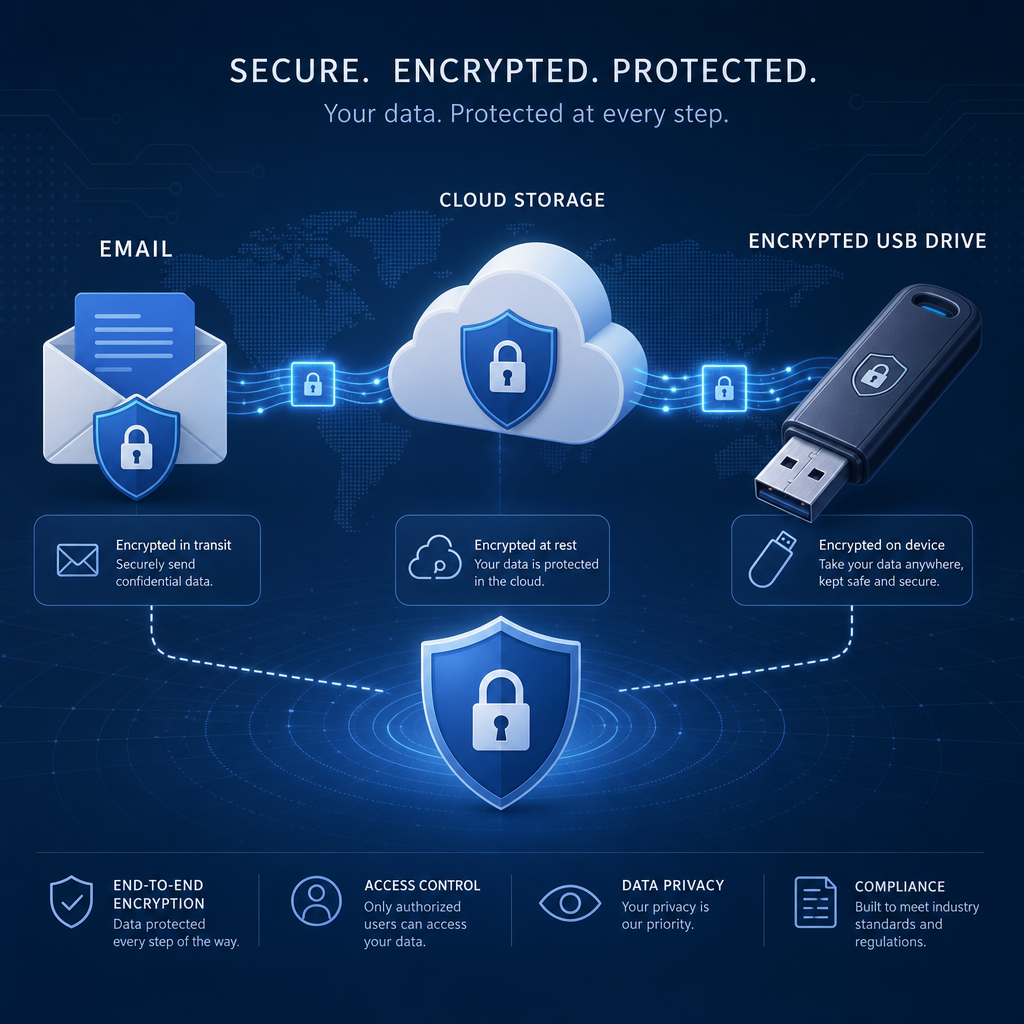
Most data leakage incidents do not begin with a sophisticated cyberattack. They often start with an employee sending a spreadsheet to the wrong recipient, uploading a confidential document to a personal cloud account, or copying files to a USB drive for convenience. These everyday actions can expose customer records, intellectual property, financial information, and credentials.
Email, cloud storage, and removable media are essential business tools, but each creates a path for sensitive information to leave an organization. Closing these gaps requires more than blocking technology. It calls for clear policies, sensible controls, employee awareness, and a response plan that limits damage when mistakes occur.
This guide explains the most common leakage risks across email, cloud services, and USB devices, then outlines practical steps organizations of any size can use to reduce exposure without preventing people from doing their jobs.
Table of Contents
- Why Data Leakage Happens
- Closing Email Data Leakage Gaps
- Managing Cloud Storage and Sharing Risks
- Controlling USB and Removable Media
- Building an Integrated Data Loss Prevention Program
- Strengthening Employee Awareness and Culture
- Monitoring, Testing, and Responding to Incidents
- A Practical Action Plan
- Conclusion
- Frequently Asked Questions
Why Data Leakage Happens
Data leakage occurs when information reaches an unauthorized person, system, or location. It may be deliberate, such as an employee taking customer data, or accidental, such as attaching the wrong file to an email. Both types of incidents can create regulatory, financial, and reputational consequences.
The risk is growing because modern work is distributed across personal devices, collaboration platforms, SaaS applications, and external partners. Employees may need to share information quickly, while security teams must determine whether that information is appropriate for the destination.
Common causes of leakage
- Human error: Misaddressed emails, weak passwords, incorrect permissions, and lost devices.
- Convenience-driven behavior: Use of personal cloud accounts or USB drives when approved tools seem slow or restrictive.
- Excessive access: Employees retaining access to files and systems they no longer need.
- Weak visibility: Security teams may not know where sensitive data is stored, copied, or shared.
- Malicious insiders: Authorized users may intentionally remove or disclose information.
An effective program focuses on reducing opportunities for leakage while preserving legitimate workflows. The objective is not to make sharing impossible; it is to make safe sharing the easiest option.
Closing Email Data Leakage Gaps
Email remains one of the most common channels for accidental data exposure. A single message can send confidential information outside the organization in seconds, and recalling it is often unreliable. Attackers also use compromised accounts to forward sensitive conversations or deliver malicious attachments.
Identify sensitive content
Organizations should define the information that requires protection. Examples include personal data, payment information, health records, customer contracts, source code, business plans, and authentication secrets. Classification labels such as public, internal, confidential, and restricted can help employees make faster decisions.
Email security tools can inspect message content and attachments for patterns associated with sensitive data. Rules can warn users, require manager approval, encrypt messages, or block delivery depending on the data type and recipient.
Use practical email controls
- Require multi-factor authentication for email accounts, especially administrator and executive accounts.
- Display external-recipient warnings so users notice when a message leaves the organization.
- Use data loss prevention policies to detect sensitive information in messages and attachments.
- Apply encryption automatically for defined categories of confidential content.
- Restrict automatic forwarding to personal email addresses and unapproved domains.
- Scan links and attachments for malware and suspicious behavior.
- Set rules for large attachments and replace risky attachments with authenticated sharing links.
Security controls should be designed around context. Sending a customer record to an approved legal partner may be acceptable, while sending the same record to a personal address should trigger a warning or block. Context-aware policies reduce both leakage and unnecessary disruption.
Managing Cloud Storage and Sharing Risks
Cloud platforms improve collaboration, but their sharing features can make confidential data accessible to far more people than intended. Public links, inherited permissions, unmanaged applications, and former employees’ accounts are frequent sources of exposure.
Establish ownership and classification
Every important data repository should have a clear business owner. That owner is responsible for deciding who needs access, how long access should last, and how information should be retained or deleted.
Classification should follow data into the cloud. A confidential document should not become effectively public simply because it was uploaded to a collaboration platform. Labels, encryption, and policy-based controls can help preserve restrictions across storage and sharing workflows.
Reduce oversharing
- Make private sharing the default rather than public or anonymous links.
- Require authentication for external collaborators.
- Use expiration dates for temporary links and guest access.
- Review externally shared files and folders on a regular schedule.
- Apply least-privilege permissions and remove unused accounts.
- Block uploads to unsanctioned cloud applications where appropriate.
- Monitor downloads, unusual sharing activity, and bulk file transfers.
Cloud security posture management and cloud access security tools can help discover risky configurations and unsanctioned services. However, technology should support a documented process. Employees need an approved way to collaborate with customers, contractors, and partners so they do not create unofficial workarounds.
Controlling USB and Removable Media
USB drives are inexpensive, portable, and easy to lose. They can carry large quantities of information outside monitored systems, introduce malware, or provide a simple way for an insider to copy restricted files.
A total ban may be appropriate in some high-security environments, but many organizations still need removable media for manufacturing, field work, presentations, diagnostics, or offline transfers. A controlled approach is usually more practical.
Set rules for approved use
- Allow only organization-issued, encrypted USB devices.
- Require approval for sensitive data transfers to removable media.
- Disable USB storage on systems that have no business need for it.
- Use endpoint controls to log file copies and identify unusual transfer activity.
- Scan removable media for malware before allowing access.
- Maintain an inventory of issued devices and assign clear owners.
- Require immediate reporting for lost or stolen devices.
Encryption is essential because physical controls cannot prevent every loss. A properly encrypted device can significantly reduce the impact of theft, while an unencrypted drive may expose everything stored on it.
Building an Integrated Data Loss Prevention Program
Email, cloud services, and USB devices should not be managed as unrelated problems. Information often moves between them: a file is downloaded from cloud storage, attached to an email, and then copied to a removable drive. Separate controls can leave gaps between these steps.
An integrated data loss prevention program combines content inspection, user identity, device status, destination, and activity history. It can apply consistent rules regardless of where a user attempts to move information.
Core components
- Data discovery: Locate sensitive information across endpoints, email, cloud repositories, and databases.
- Classification: Define categories and handling requirements that employees can understand.
- Policy enforcement: Warn, encrypt, quarantine, require approval, or block risky actions.
- Identity and access management: Verify users and limit permissions according to business need.
- Endpoint protection: Control copying, printing, screenshots, synchronization, and removable media.
- Audit and reporting: Record events so security teams can investigate patterns and improve policies.
Start with a small number of high-value use cases. For example, an organization might first protect payment data in email, prevent public sharing of confidential cloud folders, and require encryption for USB transfers. After measuring results, it can expand coverage without overwhelming employees with alerts.
Strengthening Employee Awareness and Culture
Employees are part of the security solution, not merely a source of risk. Policies that are difficult to understand or impossible to follow encourage shadow IT and unsafe shortcuts.
Training should use realistic examples: a message addressed to two similar names, a cloud link requesting public access, or a USB drive found in a meeting room. Explain not only what employees must do, but why the behavior matters and how to report uncertainty.
Make secure behavior easier
- Provide approved file-sharing tools with simple instructions.
- Offer secure alternatives when email attachments are too sensitive or large.
- Use short, recurring training rather than relying on one annual session.
- Teach employees to verify recipients, permissions, and data classification before sharing.
- Create a no-blame reporting process for mistakes and suspected leakage.
When employees report an error quickly, security teams may be able to revoke a link, reset a credential, or contact a recipient before information spreads. A supportive culture can therefore reduce the impact of incidents as well as their frequency.
Monitoring, Testing, and Responding to Incidents
Prevention controls are important, but no control is perfect. Organizations should monitor activity for unusual downloads, repeated policy violations, transfers outside normal working patterns, and access from unfamiliar locations.
Alerts should be prioritized by risk. A single low-risk warning may not require investigation, while a bulk download of restricted files followed by external sharing should receive immediate attention. Excessive false positives can cause alert fatigue and encourage users to ignore warnings.
Prepare a response process
- Confirm what information was involved and how sensitive it is.
- Identify the user, device, application, recipient, and timeline.
- Contain the event by revoking links, disabling accounts, blocking transfers, or isolating devices.
- Determine whether the information was accessed, downloaded, or redistributed.
- Notify legal, privacy, compliance, customers, or regulators when required.
- Document the cause and update controls, training, or permissions to prevent recurrence.
Regular exercises can reveal gaps in contact lists, escalation paths, logging, and decision-making. Testing should include both accidental and malicious scenarios so the organization is prepared for more than a simple user mistake.
A Practical Action Plan
Organizations can begin closing their biggest leakage gaps with a focused sequence of actions:
- Inventory sensitive data and identify where it is stored, shared, and copied.
- Document acceptable use rules for email, cloud storage, and USB devices.
- Enable multi-factor authentication and remove unnecessary access.
- Set external email warnings and cloud sharing defaults to private.
- Require encryption for sensitive files and approved removable media.
- Deploy monitoring and data loss prevention controls for the highest-risk data.
- Train employees using realistic workflows and clear reporting instructions.
- Review alerts, incidents, permissions, and policies on a recurring schedule.
Success should be measured with useful indicators, such as the number of public links removed, the percentage of sensitive data repositories with owners, policy violations by category, time to contain incidents, and employee reporting rates. Metrics should guide improvement rather than punish good-faith mistakes.
Conclusion
Email, cloud storage, and USB devices are not inherently unsafe. The real risk comes from uncontrolled movement of information, unclear responsibilities, excessive permissions, and a lack of visibility.
By classifying data, applying context-aware controls, securing endpoints, limiting cloud sharing, and training employees, organizations can close the most common leakage paths. The strongest programs combine technology with practical processes and a culture that encourages people to pause, verify, and report.
Start by identifying the data and workflows that matter most, then address the highest-risk gaps first. Consistent, measurable improvements will provide stronger protection than a complicated policy that employees cannot follow.
Frequently Asked Questions
What is the most common cause of data leakage?
Human error is one of the most common causes, including misdirected emails, incorrect cloud permissions, lost devices, and accidental file sharing. Clear workflows and timely warnings can reduce these mistakes.
Should an organization ban USB drives?
A ban may be suitable for some environments, but controlled use is often more practical. Organizations can allow encrypted, company-issued devices while logging transfers, scanning media, and requiring approval for sensitive data.
How can cloud data sharing be made safer?
Use private defaults, authenticated access, expiration dates, least-privilege permissions, regular access reviews, and monitoring for unusual sharing or download activity.
What should an employee do after sending sensitive data to the wrong person?
Report the mistake immediately through the organization’s incident process. Fast reporting may allow security teams to revoke access, request deletion, reset credentials, and determine whether notification obligations apply.
Leave a Reply