
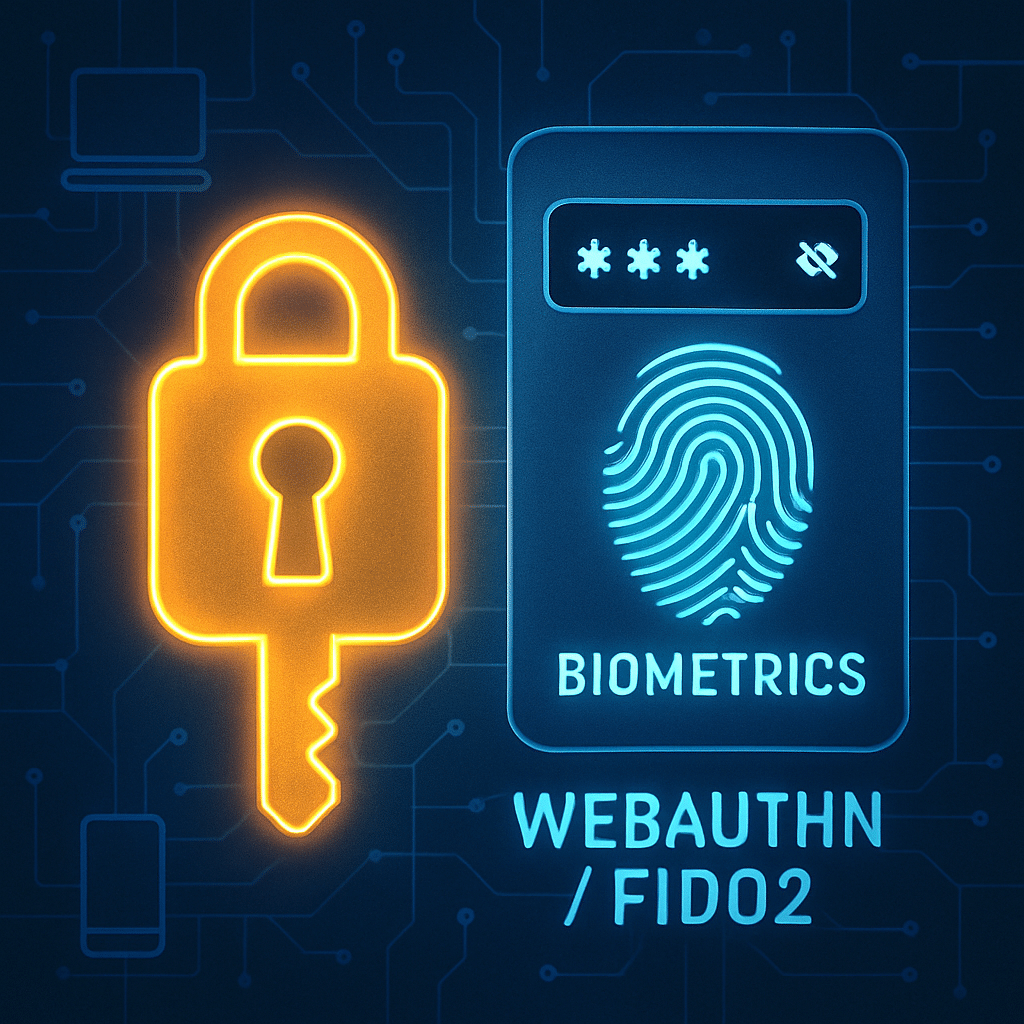
Passwords were never designed for today’s digital scale. They get reused, stolen, phished, and forgotten—slowing down users and raising costs. That’s why leading enterprises across finance, retail, healthcare, manufacturing, and SaaS are moving to passwordless authentication built on phishing-resistant methods like passkeys and FIDO2 security keys. In this article, we examine real-world case studies and extract a practical blueprint you can apply to your own rollout.
Table of Contents
- Why Passwordless, Why Now?
- Case Study: Global Bank Cuts Fraud and Friction
- Case Study: Retailer Scales Passwordless to 80,000 Store Associates
- Case Study: Healthcare Network Speeds Clinician Access
- Case Study: SaaS Provider Launches Customer Passkeys
- Case Study: Manufacturer Secures Shared Workstations
- Implementation Blueprint: From Pilot to Scale
- Security & Compliance Considerations
- Measuring ROI and Success
- Conclusion
- Frequently Asked Questions
Why Passwordless, Why Now?
Passwordless replaces knowledge-based credentials with strong cryptography and device-bound authenticators. Common options include platform biometrics (e.g., Touch ID, Windows Hello), hardware security keys, and phone-based passkeys. These methods prevent credential reuse and make phishing dramatically harder.
Enterprises are adopting passwordless for three reasons: reduce risk from phishing and credential stuffing, improve user experience with faster logins, and lower operational costs tied to password resets and help desk calls. Standards like FIDO2/WebAuthn and growing platform support have removed past barriers, making passwordless realistic at enterprise scale.
Case Study: Global Bank Cuts Fraud and Friction
Business context
A top-10 global bank faced rising account takeover attempts and strict regulatory scrutiny. Employees and contractors authenticated through VPN, VDI, and hundreds of SaaS apps. Password resets consumed support capacity during peak trading hours.
Approach
The bank adopted a phishing-resistant MFA standard across the workforce using a mix of hardware security keys for high-risk roles and platform-based passkeys for most employees. Integration with their identity provider unified access across cloud and legacy on-prem apps.
Rollout
- Pilot: 1,500 users in risk, trading, and operations across three regions.
- Training: Short videos plus in-branch champions to help users enroll passkeys.
- Phased enforcement: Allowed passwords as fallback for 60 days, then removed.
Results
- Fraud reduction: 92% drop in successful phishing-related account takeovers in six months.
- Faster access: Median login time fell from 14 seconds to 5 seconds.
- Help desk relief: Password reset tickets declined by 48%, freeing staff for higher-value work.
- Regulatory alignment: Controls mapped to phishing-resistant MFA guidance, improving audit confidence.
Lesson learned: Risk-tiered authenticators keep costs manageable without compromising protection for privileged users.
Case Study: Retailer Scales Passwordless to 80,000 Store Associates
Business context
A Fortune 100 retailer operated thousands of stores with shared shift devices, mobile handhelds, and POS terminals. Seasonal hiring created spikes in account creation and password issues, hurting onboarding speed and productivity.
Approach
The retailer deployed passkeys on managed iOS and Android devices, combined with badge-tap to unlock shared tablets in break rooms and back-of-house areas. A streamlined enrollment flow linked employee IDs to device-bound credentials during on-site orientation.
Rollout
- Device-first: MDM policies configured biometrics and passkeys on corporate devices.
- API integration: Retail apps updated to support WebAuthn, minimizing UI changes.
- Peak season plan: Pre-provisioned credentials reduced onboarding time for temps.
Results
- Onboarding speed: New-hire time-to-first-login dropped from 30 minutes to under 8 minutes.
- Checkout uptime: Associate re-auth during POS overrides fell from 20 seconds to 6 seconds, improving line throughput.
- Support savings: Store-level password-assist calls declined by 55% within three months.
- User sentiment: 87% of associates reported sign-in was “easier” or “much easier.”
Tip: For front-line workers, reliability and speed matter more than feature breadth. Keep flows simple and resilient to spotty connectivity.
Case Study: Healthcare Network Speeds Clinician Access
Business context
A multi-hospital health system needed rapid, secure access to EHR systems and imaging workstations. Password policies conflicted with fast-paced clinical workflows, leading to risky workarounds and delays at shift changes.
Approach
The organization implemented passwordless sign-ins on Windows workstations via platform biometrics and NFC security keys for gloved environments. Contextual policies allowed step-up authentication only for high-risk actions (e.g., remote access or medication orders).
Rollout
- Clinical pilots: ICU and ED units tested under real workload constraints.
- Tap-and-go: NFC keys paired with workstation proximity readers for quick re-auth.
- Offline resilience: Cached credentials enabled access during network maintenance windows.
Results
- Time saved: Clinicians reclaimed 12–18 minutes per shift from faster logins and fewer lockouts.
- Security posture: Phishing-resistant factors reduced reliance on SMS/OTP for remote access.
- Compliance: Controls mapped to healthcare security frameworks and audit requirements.
What made it work: Co-design with nurse and physician champions ensured the solution fit real clinical routines, not just IT assumptions.
Case Study: SaaS Provider Launches Customer Passkeys
Business context
A fast-growing SaaS vendor served millions of users with a global footprint. Credential stuffing drove support volume and risk. The product team sought a seamless login experience with lower abandonment on mobile.
Approach
The company introduced consumer passkeys as the primary sign-in and recovery method, with passwords optional during migration. Progressive prompts educated users about passkeys, while platform-native dialogs handled biometric consent.
Rollout
- Gradual opt-in: 10% cohorts enabled weekly, then regional rollouts to handle traffic patterns.
- Cross-device: Synced passkeys leveraged platform ecosystems for continuity across devices.
- Fallbacks: Email-based magic links and support PINs for edge cases without degrading security.
Results
- Conversion: Sign-in success rate increased by 8% on mobile and 5% on desktop.
- Security: Automated credential-stuffing detections dropped by 96%.
- Support: Account recovery contacts fell 42%, improving NPS by 6 points.
Product insight: Educating users with plain-language microcopy about “using your face, fingerprint, or device PIN” removed confusion about passkeys.
Case Study: Manufacturer Secures Shared Workstations
Business context
An industrial manufacturer operated shared shop-floor workstations across multiple plants. Complex passwords and frequent resets led to production delays and shadow credentials taped to monitors.
Approach
IT introduced passwordless access via hardware keys attached to employee badges and implemented short session timeouts with instant re-auth. Policy-based access differentiated engineers, operators, and contractors.
Rollout
- Physical-key logistics: On-site issuance during safety training, with spare keys in secure cabinets.
- Legacy bridge: RDP and older HMIs wrapped behind a modern identity proxy supporting WebAuthn.
- Resilience: Keys verified offline for continuity during plant network incidents.
Results
- Safety and security: Elimination of shared passwords reduced audit findings to near zero.
- Operational efficiency: Re-auth times dropped to under 3 seconds, improving takt time adherence.
- Cost: Annualized savings from reduced resets and downtime exceeded the hardware key investment in year one.
Bottom line: Physical tokens can be the simplest, most durable option where gloves, dust, or noise complicate biometrics.
Implementation Blueprint: From Pilot to Scale
1) Build the business case
- Quantify reset costs, fraud exposure, and productivity loss from slow logins.
- Identify high-value use cases: privileged admins, call centers, front-line, or customer accounts.
2) Choose authenticators and policies
- Mix factors by risk: platform passkeys for most, hardware keys for high-privilege or regulated roles.
- Define step-up triggers: new device, high-value transaction, anomalous location.
3) Integrate identity and apps
- Ensure your identity provider supports WebAuthn/FIDO2 and device-bound passkeys.
- Prioritize apps with the highest traffic or risk; use proxies for legacy systems.
4) Run a focused pilot
- Pick champions across departments and regions. Set clear success criteria (adoption, login time, ticket reduction).
- Collect feedback weekly; adjust enrollment and fallback flows early.
5) Orchestrate change management
- Design short, visual training. Use in-app prompts and just-in-time education.
- Plan phased enforcement: optional, recommended, then required—aligned to business cycles.
6) Harden recovery and fallbacks
- Avoid weak factors like SMS where possible; prefer secondary passkeys, admin-assisted reproofing, or verified email links.
- Document break-glass procedures with strict time limits and audit trails.
7) Monitor and iterate
- Track adoption, login success, average time to authenticate, and support ticket trends.
- Continuously tune risk signals and device management policies.
Successful programs treat passwordless as a product, not a one-time project—complete with roadmaps, telemetry, and user research.
Security & Compliance Considerations
Passwordless can materially improve security by eliminating shared secrets and thwarting phishing. To satisfy auditors and regulators, map your implementation to recognized standards and controls.
- Standards alignment: Favor FIDO2/WebAuthn for phishing resistance. Reference platform guidance from major OS vendors and the FIDO Alliance.
- Device trust: Pair strong authentication with device posture checks (OS version, jailbroken status, attestation when available).
- Risk-based policies: Use continuous signals (IP reputation, impossible travel) to step up only when needed.
- Recovery rigor: Treat recovery as high risk. Require reproofing with verified identity and limited-time codes.
- Data protection: Ensure biometrics stay on-device; only public keys and attested metadata reach servers.
- Auditability: Log enrollments, authentications, policy changes, and recovery events with immutable timestamps.
Key outcome: You gain stronger assurance with fewer user errors, while demonstrating control efficacy more clearly in audits.
Measuring ROI and Success
Build a baseline before rollout, then report improvements against it. Executives care about risk reduction and productivity as much as cost savings.
Core metrics
- Security: Reduction in phishing-related incidents, credential stuffing detections, and account takeovers.
- Experience: Median login time, login success rate, abandonment during sign-in or recovery.
- Operations: Volume of password reset tickets, average handle time, and first-contact resolution.
- Adoption: Percent of users enrolled, authenticator mix by persona, recovery rate per 1,000 users.
Sample ROI model
- Direct savings: (Password reset tickets avoided × cost per ticket) + reduced OTP/SMS fees + reduced fraud losses.
- Productivity: (Time saved per login × logins per day × users) × loaded labor rate.
- Cost to serve: Training, hardware keys (if used), integration, and support—amortized over device/user lifespan.
Enterprises in our case studies typically realized payback within 6–12 months, with ongoing gains as adoption grew and fallbacks were tightened.
Conclusion
Passwordless authentication is moving from aspiration to proven practice. The enterprises profiled here reduced fraud, accelerated work, and simplified support—without sacrificing compliance. Your path will depend on your mix of users, devices, and apps, but the formula remains consistent: start with clear use cases, choose the right authenticators, pilot with champions, and iterate with data.
If you are evaluating passwordless today, begin by measuring your current reset burden and login friction. Then run a small, high-impact pilot and use its results to guide a phased rollout. The sooner you start, the sooner your organization benefits from stronger security and a smoother user experience.
Frequently Asked Questions
What’s the difference between passkeys, FIDO2, and biometrics?
Passkeys are user-friendly credentials built on FIDO2/WebAuthn standards. Biometrics like fingerprint or face unlock verify the user locally; the server only sees public keys, not biometric data.
Do we still need MFA if we use passwordless?
Passwordless can satisfy multi-factor requirements when it combines something you have (device/key) with something you are (biometric) or know (device PIN). Many regulators recognize phishing-resistant, device-bound methods as strong MFA.
How do we handle lost devices or hardware keys?
Use a layered recovery plan: secondary passkeys on another device, admin-assisted reproofing, and temporary recovery codes with strict expiration and logging. Avoid reverting to weak factors like SMS where possible.
Will legacy applications work with passwordless?
Yes, via identity proxies, federation, or desktop SSO agents that translate modern authentication to legacy protocols. Prioritize high-traffic apps first and deprecate passwords in phases.
Leave a Reply