
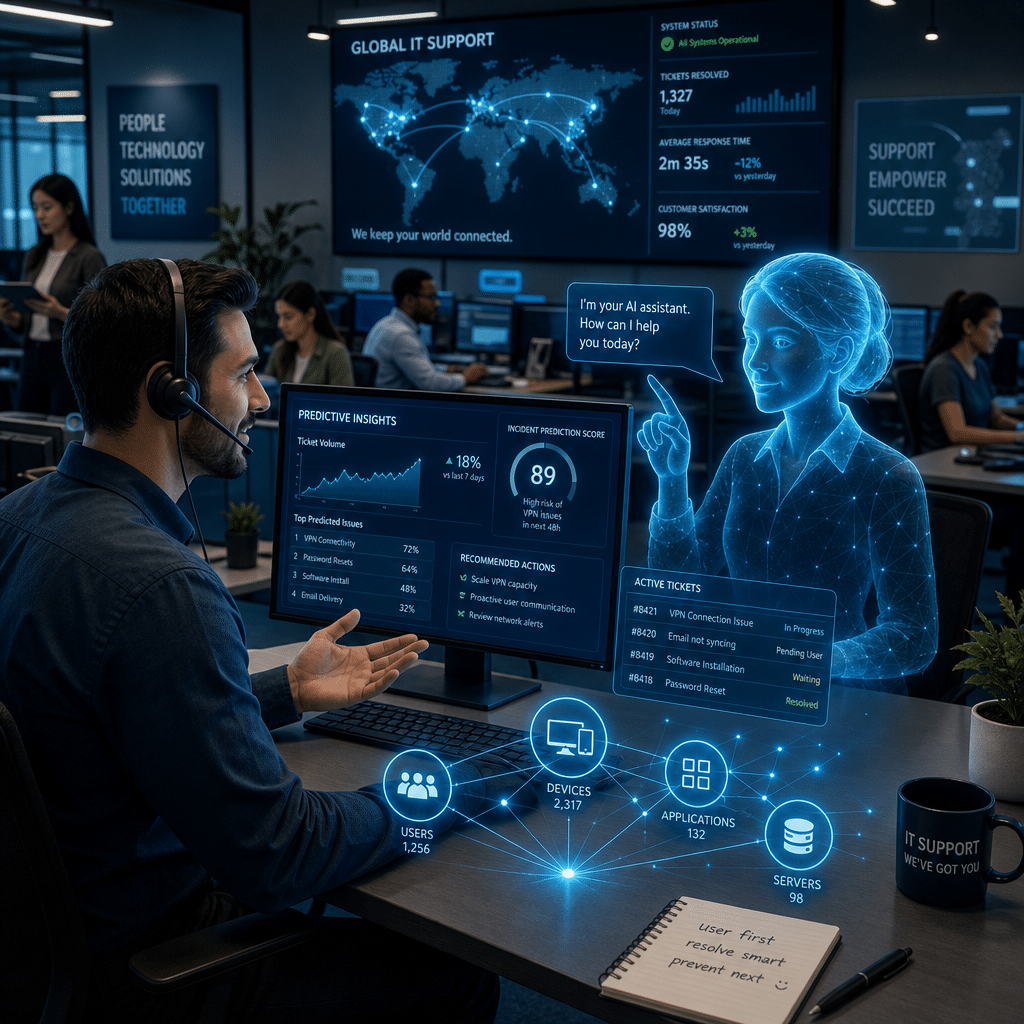
For decades, the desktop support desk has been the place employees turn when technology gets in the way of work. A forgotten password, failed software update, slow laptop, or confusing error message can quickly become a productivity problem. Today, artificial intelligence is changing how support teams identify, resolve, and prevent these issues.
AI is not replacing the support desk. Instead, it is helping service desk professionals work faster, deliver more consistent answers, and focus on complex problems that require human judgment. From intelligent chatbots to predictive analytics and automated ticket routing, AI is becoming a practical part of modern IT support.
This article explores how AI is transforming the desktop support desk, the benefits and challenges organizations should consider, and the steps leaders can take to introduce AI responsibly.
Table of Contents
- The Evolving Role of Desktop Support
- AI-Powered Support Tools
- Faster Ticket Resolution and Better Productivity
- Predictive and Proactive Support
- Improving the Employee Experience
- Why Human Judgment Still Matters
- How to Implement AI in the Support Desk
- Measuring the Success of AI Adoption
- Conclusion
- Frequently Asked Questions
The Evolving Role of Desktop Support
Traditional desktop support often operates reactively. An employee reports a problem, a technician investigates it, and the issue is resolved through a combination of documentation, experience, and troubleshooting. This model remains valuable, but it can become difficult to scale as organizations add devices, applications, remote workers, and security requirements.
AI changes the workflow by helping support teams process large volumes of information quickly. It can recognize patterns across tickets, identify likely causes, summarize conversations, and recommend next steps. As a result, technicians can spend less time searching for basic information and more time solving unusual or business-critical issues.
The modern support professional is increasingly becoming a technology advisor rather than simply a problem fixer. AI handles repetitive tasks, while people provide context, empathy, risk assessment, and creative problem-solving.
AI-Powered Support Tools
AI in desktop support is not one single product. It is a collection of capabilities that can be integrated into service desk platforms, endpoint management systems, collaboration tools, and knowledge bases.
Intelligent virtual assistants
AI-powered virtual assistants can answer common questions around the clock. Employees may ask how to connect to a virtual private network, install approved software, reset a password, or access a shared drive. The assistant can provide a guided answer, link to a relevant article, or initiate an approved workflow.
The best virtual assistants do more than match keywords. They use natural language processing to understand the intent behind a request. They can also ask clarifying questions, which helps reduce the number of tickets created from incomplete or ambiguous information.
Automated ticket classification
When a ticket is submitted, AI can classify it by category, urgency, affected service, and likely resolution group. It can then route the request to the right team. This reduces manual triage and helps prevent tickets from sitting in the wrong queue.
AI can also detect duplicate incidents. If dozens of employees report the same application outage, the system can identify the relationship and help the support team manage the issue as a major incident instead of treating every report separately.
Knowledge management and technician assistance
Support teams often have extensive documentation, but finding the right article can take time. AI can search across knowledge bases, previous tickets, product documentation, and internal procedures to recommend relevant information.
For technicians, an AI assistant may summarize a user’s history, suggest diagnostic commands, or draft a response. The technician remains responsible for reviewing the recommendation, but the time required to begin troubleshooting is significantly reduced.
Faster Ticket Resolution and Better Productivity
One of the clearest benefits of AI is improved speed. A support desk can use automation to resolve simple requests immediately, collect required details before human intervention, and guide technicians through standard procedures.
For example, an employee reporting a locked account might receive an identity verification workflow rather than waiting for a technician. A user experiencing a common application error could receive step-by-step instructions based on the device type and software version. These small improvements can have a major effect when repeated across hundreds or thousands of requests.
AI can also reduce the administrative burden on support staff. It may generate ticket summaries, recommend status updates, translate messages, and create documentation from completed resolutions. This gives technicians more time to investigate complex incidents and engage with employees who need personalized assistance.
However, speed should not be the only goal. A fast but inaccurate answer can create additional work or introduce security risks. AI-driven automation should therefore be paired with clear approval rules, reliable knowledge sources, and escalation paths.
Predictive and Proactive Support
Traditional support usually begins after an employee notices a problem. AI enables a more proactive model by analyzing endpoint data and identifying warning signs before they become user-facing incidents.
Monitoring systems can detect patterns such as declining disk health, repeated application crashes, unusual login failures, low storage capacity, or devices that are falling behind on security updates. Based on these signals, the support team can take preventive action.
Examples of proactive support include:
- Replacing a device before a failing drive causes data loss.
- Removing unnecessary files before low storage affects performance.
- Updating software when a known vulnerability is detected.
- Identifying an application version that is causing repeated crashes.
- Contacting users who may be affected by a developing service outage.
This approach improves reliability and can reduce the volume of urgent tickets. It also helps IT teams move from measuring how quickly they respond to problems toward preventing problems from occurring in the first place.
Improving the Employee Experience
Employees expect workplace technology to be convenient, responsive, and available when they need it. Long queues and repeated explanations can damage confidence in the IT department, even when technicians are working hard behind the scenes.
AI can make support more accessible through conversational interfaces and self-service options. Employees can describe an issue in ordinary language instead of selecting the perfect category or using technical terminology. AI can then recommend the next step or connect the request to a specialist with the relevant context already attached.
Personalization is another advantage. An AI system can consider a user’s device, location, role, operating system, application access, and previous support history. This allows it to provide more relevant guidance than a generic troubleshooting article.
AI can also support employees across languages and time zones. Translation features and 24-hour availability are especially useful for global organizations, although sensitive or complex conversations may still require a human support professional.
Why Human Judgment Still Matters
AI is powerful, but it does not understand every business context or human concern. Desktop support often involves frustration, urgency, privacy, accessibility, and business impact. These factors may not be visible in a ticket’s text or in endpoint telemetry.
Human technicians are essential when an issue involves several systems, a high-value employee, a major business process, or a potential security incident. They are also needed when an employee is confused or distressed and requires reassurance rather than another automated instruction.
Organizations should treat AI as an assistant, not an unquestioned authority. Human review is particularly important for:
- Actions that change access permissions or security settings.
- Recommendations involving sensitive personal or business data.
- Major incident communications and service-impact decisions.
- Unusual technical problems outside established procedures.
- Cases where the AI expresses low confidence or provides conflicting information.
A balanced model combines automation for routine work with human oversight for decisions involving risk, judgment, and empathy.
How to Implement AI in the Support Desk
Successful adoption usually begins with a focused business problem rather than a broad goal to “add AI.” Leaders should examine support data and identify opportunities where automation can improve service without creating unnecessary risk.
Start with high-volume, low-risk requests
Password guidance, device setup instructions, software access questions, and ticket status updates are often good starting points. These requests tend to follow repeatable patterns and can be supported with approved workflows.
Improve the knowledge base first
AI can only provide dependable answers when it has access to accurate, current information. Review outdated articles, remove duplicates, define ownership, and write instructions in clear language. Every article should include relevant versions, prerequisites, and escalation guidance where appropriate.
Set governance and security controls
Organizations should define what data AI tools may access, how information is stored, and which actions require approval. Access controls, audit logs, retention policies, and vendor reviews are important parts of responsible implementation.
Keep technicians involved
Support professionals should help select use cases, test responses, and identify failure modes. Their experience is essential for determining whether an AI recommendation is technically correct and practical for the organization.
Launch gradually and improve continuously
A pilot allows teams to measure performance and gather employee feedback before expanding deployment. AI systems should be monitored for inaccurate answers, bias, inappropriate escalation, and changes in user behavior. Continuous improvement is more effective than treating implementation as a one-time project.
Measuring the Success of AI Adoption
Organizations should evaluate AI using both operational and employee-focused measures. Common metrics include first-contact resolution, average resolution time, ticket deflection, backlog volume, escalation rates, and technician productivity.
Quality measures are equally important. Track answer accuracy, user satisfaction, repeat contacts, security exceptions, and the percentage of automated interactions that require human correction. A reduction in ticket volume is not necessarily a success if employees are unable to solve their problems or are avoiding the support channel.
It is also useful to measure the employee experience directly. Short surveys can reveal whether users find self-service helpful, whether instructions are understandable, and when they prefer human assistance. Combining these insights with service desk data creates a more complete view of AI’s impact.
Conclusion
AI is transforming the modern desktop support desk by making service more proactive, scalable, and responsive. Intelligent assistants, automated triage, technician recommendations, and predictive endpoint analytics can reduce repetitive work while helping employees resolve issues faster.
The most successful organizations will not use AI simply to cut support costs. They will use it to improve reliability, strengthen self-service, and give support professionals more time for complex problems and meaningful conversations. With accurate knowledge, strong governance, human oversight, and continuous measurement, AI can become a trusted partner in delivering better IT support.
The next step is to identify one high-volume, low-risk support process, establish a clear success measure, and test how AI can improve it without compromising security or the employee experience.
Frequently Asked Questions
How is AI used in desktop support?
AI is used for virtual assistance, ticket classification, automated routing, knowledge search, response drafting, endpoint monitoring, and predictive issue detection. These capabilities help resolve routine requests and support technicians handling complex incidents.
Will AI replace desktop support technicians?
AI is more likely to change the technician’s role than eliminate it. Automation can handle repetitive tasks, while people remain essential for judgment, empathy, security decisions, complex troubleshooting, and business-critical incidents.
What are the risks of using AI in IT support?
Potential risks include inaccurate recommendations, exposure of sensitive data, unauthorized actions, outdated knowledge, and overreliance on automation. Governance, access controls, human review, testing, and audit processes help manage these risks.
What is the best way to begin using AI in a support desk?
Start with a high-volume, low-risk use case such as password guidance, software instructions, or ticket classification. Build on a reliable knowledge base, involve technicians in testing, and measure both efficiency and user satisfaction.
Leave a Reply